GstarCAD 365
Seamless Collaborative Design Anytime, Anywhere
Check out GstarCAD 365, the ultimate cloud-based solution for seamless cross-platform and multi-user collaboration.
This innovative tool allows you to access, design, and manage drawings from anywhere. It's an all-in-one design, engineering, and manufacturing solution featuring real-time communication and cloud-based document sharing. Join the countless engineering, construction, decoration, and manufacturing professionals who have already embraced this game-changing software.
Discover the power of GstarCAD 365. Our product's cutting-edge technology puts you in control, allowing for seamless collaboration on project designs, real-time communication based on drawings, and easy sharing from anywhere, at any time. With GstarCAD 365's cloud document function, you can effortlessly share, access, mark, chat, and approve project design drawings by simply logging in to your subscription account. Experience streamlined communication, improved work efficiency, and cost savings while boosting overall productivity.
Core Values
Cross-platform Project Management
Drawing sharing and control
User management
Drawing standards setting
Task overview
Operation log
Ensure smooth 2D/3D data transfer from design to operation, enhancing efficiency and safeguarding data and assets. Support enterprises in digitizing workflows.
Cloud-based Collaborative Design
Cloud storage and management
Collaborative design
Multi-platform project management
Cloud annotation
Real-time communication
Cross-discipline and departmental collaboration
Unlock enhanced efficiency and peak work performance with just one account for GstarCAD Mobile, GstarCAD Web, GstarCAD View for PC, and the Collaboration Module.
Secure Data Management
Easily view drawings in browsers
Secure file sharing with Access Control
Keep track of drawings you share and open
Review your activity
Rest assured that our approach guarantees the safety and integrity of your valuable user data. With our system, you can confidently and efficiently manage data without any compromise on security.
Features and Highlights
Unlock the potential for efficient collaborative design across multiple disciplines, departments, and scenarios.
- Experience collaborative editing asynchronously with drawing lock for seamless contributions from multiple users within the constraint.
- Always attach your references online to ensure that your cross-references (Xrefs) are updated in real time.
- Experience the power of incremental savings for CAD drawings, reduced memory usage, and minimized bandwidth consumption
- Embracing multilingual and remote collaboration across diverse countries or regions, and efficiently implementing and managing large-scale projects.
* Only available for GstarCAD platform
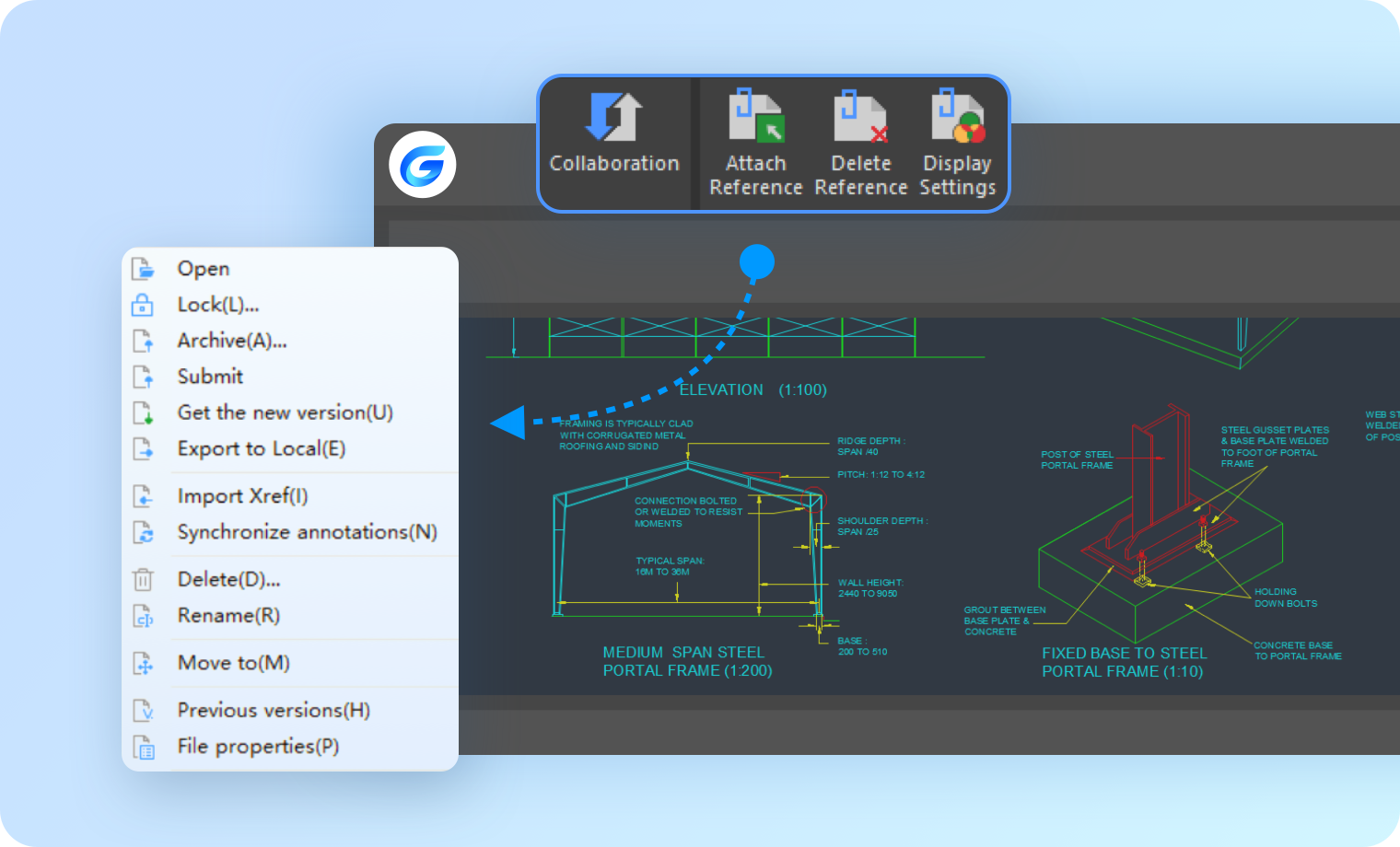
Experience the power of our secure and controlled file management mechanism, coupled with the flexibility to view and utilize drawings in a variety of scenarios.
- Licensing Management
- Access Management
- Drawing Management
- File Transfer & Sharing Management
- Watermark Tool
- Activity Journal
- Cloud Storage
- 2D Online Viewer
- 3D Online Viewer
* Available for GstarCAD 365 for all platforms
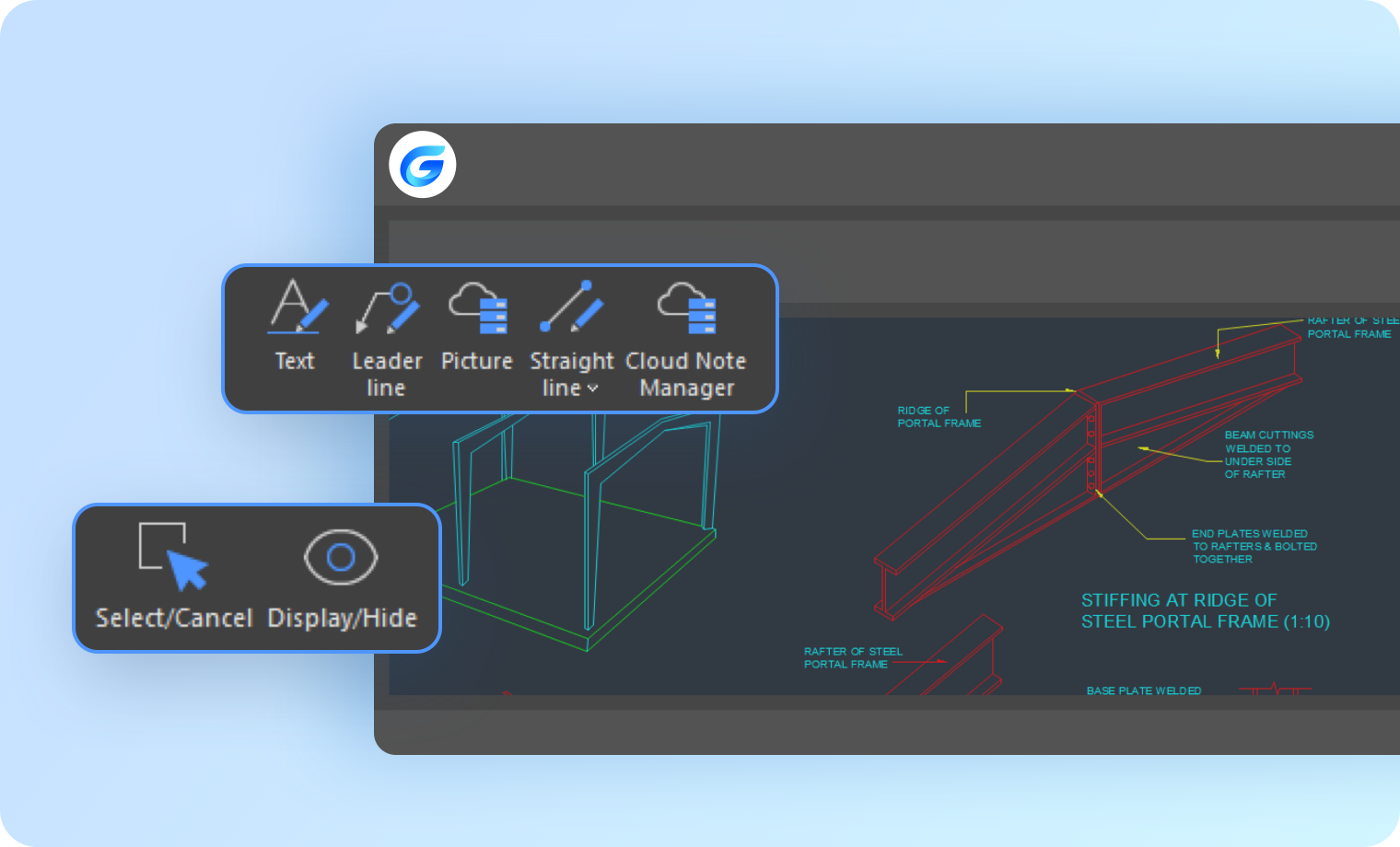
Project team members employ annotations for the purpose of providing feedback, facilitating communication, conducting thorough proofreading, and undertaking comprehensive reviews of drawings.
- Multiple users confidently collaborate from various platforms, adding annotations to the same drawing.
- Keyword index and annotation filter tools
- Support annotations: Voice, Picture, Text, etc
* Available for all GstarCAD 365 platforms
Real-time team reviews and communication, online drawing exchange, and activity tracking.
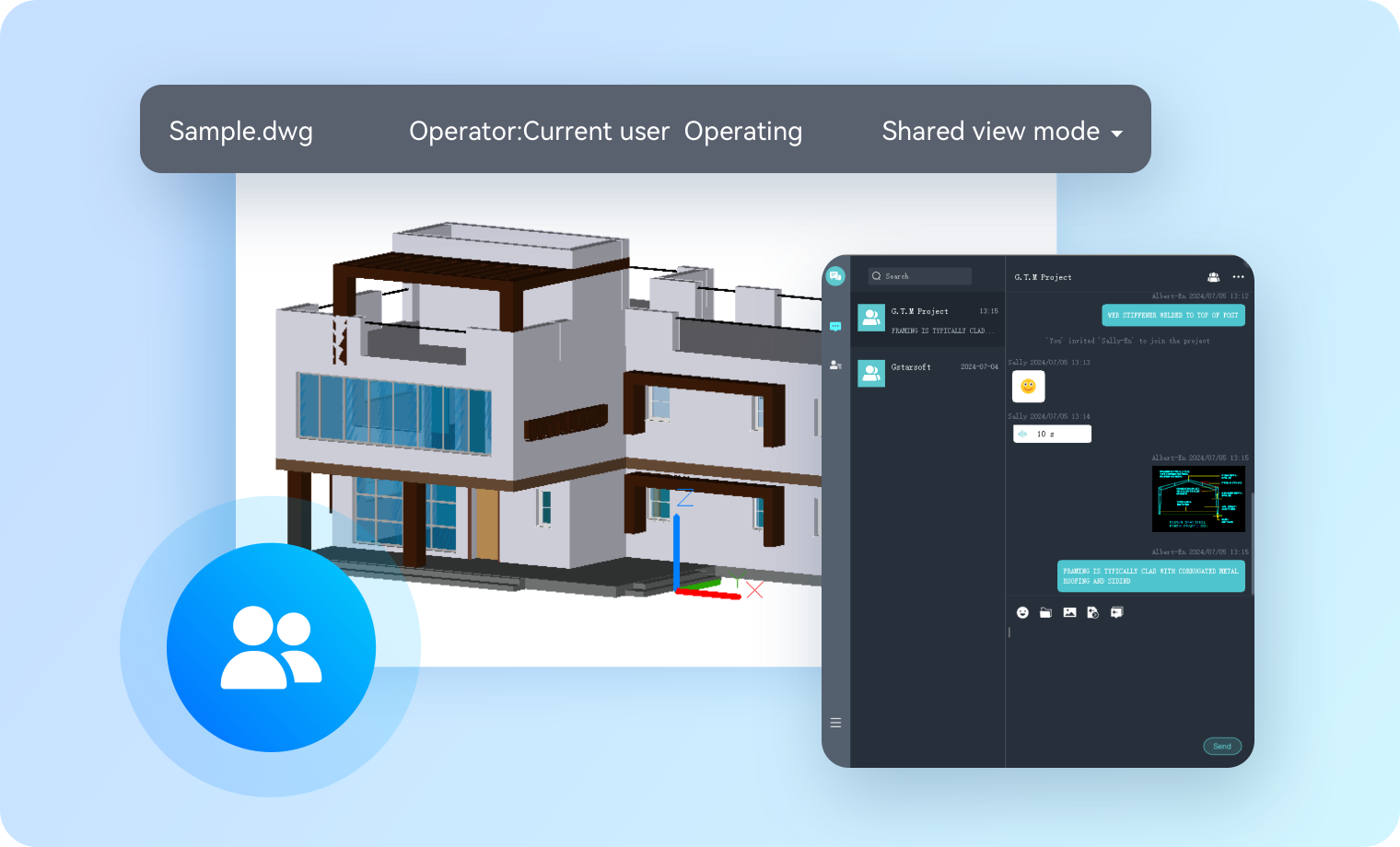
- Experience the synchronized presentation viewport: Watch as drawings come to life while the CAD viewport seamlessly synchronizes to the presenter's every move.
- Unleash the potential of collaboration with synchronized annotations by multiple users: multiple users can add annotations simultaneously, and annotations are synchronized in real time.
- Real-time communication enables multiple users to connect through voice, images, and text messaging, exchange drawings, and keep a record of activity history.
* Available for GstarCAD View and GstarCAD for Mobile
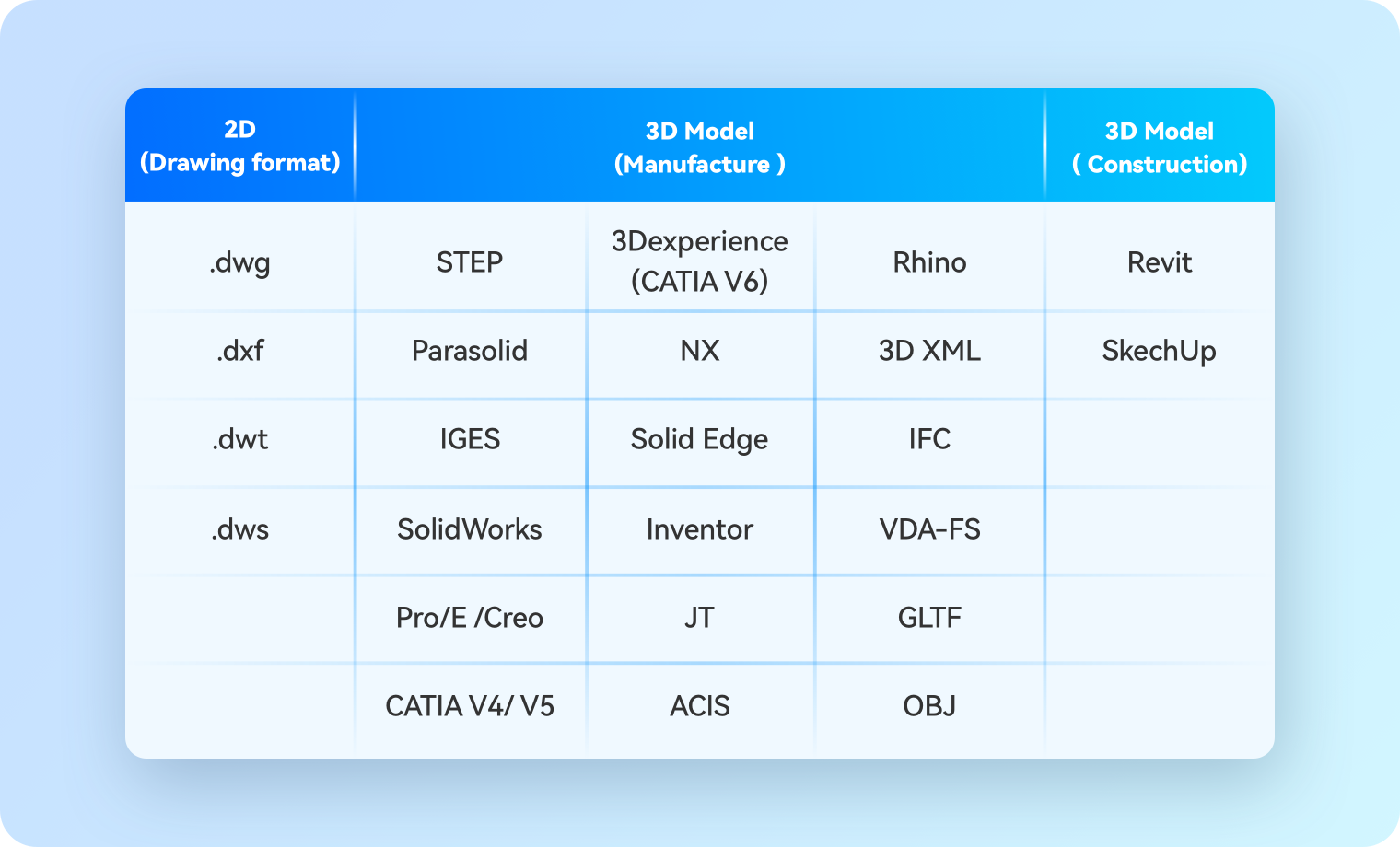
Experience the versatility of our lightweight and cross-platform drawing viewer. Effortlessly view, use, and manage drawings across multiple scenarios. Unlock the potential of your creative projects with ease and efficiency
- View 2D drawings and 3D models across diverse platforms.
- The functionality to add cloud annotations, watermark, and manage sharing is provided for the purpose of viewing 2D drawings.
- The server-side provides a range of functions, including Rotate, Pan, Zoom, Explode, Cut, and Assembly Tree, designed to facilitate the viewing of 3D models.
* Available for GstarCAD View, GstarCAD for Mobile and GstarCAD for Web
View drawings on site collaboratively

Unleash the Power of Robust Drawing Version Control!
Experience the power of our version control system, designed to automatically update and alert users of any drawing version changes. With the ability to compare different versions of drawings and restore previous ones, you can stay in control of your projects like never before.

Multiple users can annotate simultaneously.
Unlock the full potential of collaboration! With our system, multiple users can simultaneously add annotations like Revcloud, Text, Arrow, and Sketch to the same drawing file. Best of all, the original DWG file remains unchanged. Join us in streamlining your workflow and boosting productivity!

Experience seamless viewing of 2D drawings and 3D models across multiple platforms!
Experience the beyond of CAD — Collaborative Design Application.
Join forces with your team and unleash your creativity like never before!
01 Create a Project
Establish a project in GstarCAD 365 utilizing administrative privileges, and incorporate team members' accounts into the project.
02 Assign roles for project members
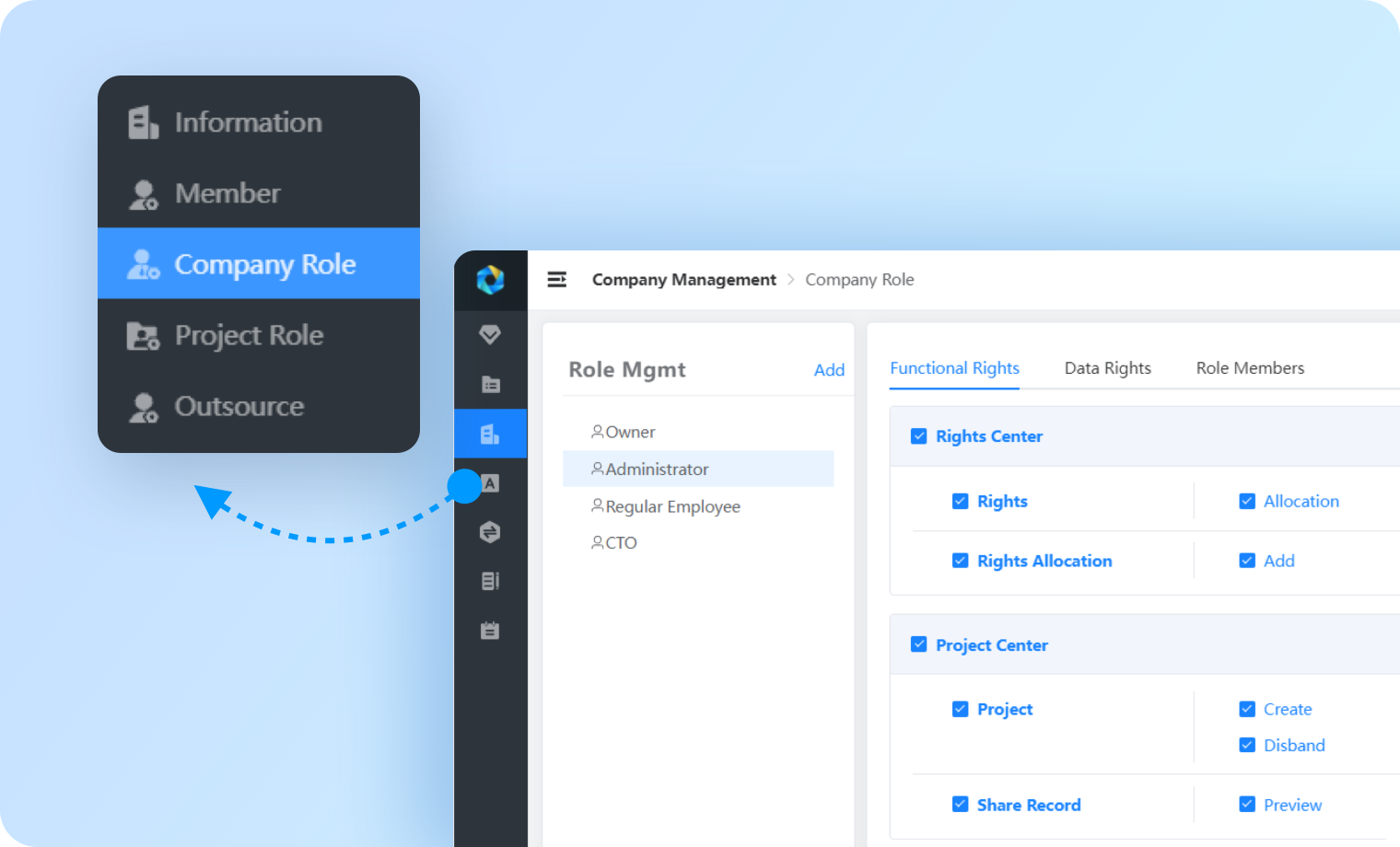
Assign diverse roles and implement data restrictions within the project.
03 Quantity Takeoff
Project team members are responsible for conducting quantity takeoffs in accordance with their designated roles.
04 Reverse Engineering
Drawing versions get updated after reverse engineering, and when other members open the drawing again, the system automatically updates to the latest
Facilitating secure inter-organizational communication.
Gaming
VR takes immersive gaming to another level. From deep environmental interactions to puzzle solving.
Design
From design concept to the showroom, create and manage workflows with better collaboration.
Training
From high-risk safety simulations and maintenance procedures to soft skills like public speaking.
Frequently Asked Questions
GstarCAD 365 is a cloud-based CAD application that works across different devices. It's important to note that it doesn't have all the features of the GstarCAD platform, so it should be used alongside the GstarCAD platform software. it has no repeating investment costs from of GstarCAD platform.
The GstarCAD 365 application and its associated services are integrated with user accounts. Users are able to access their accounts to synchronize data across various platforms
We are currently engaged in active efforts to broaden our coverage to encompass a wider array of professional software programs developed by Gstarsoft. Your attention to further developments in this regard is greatly appreciated.